I’ve been struggling to find time to blog recently… at least that’s what I’ve been telling myself. Turns out what I’ve really been lacking is energy. I’ve had the time to write, but whenever a slot opened up in my day I would whittle away the time on a number of distractions instead of digging in and writing something.
I’ve recently had a surge of energy and I’m hoping it sticks around. How am I going to do that? Here’s my short list:
Get adequate sleep, 8 hours, every night
Avoid insulin spikes (aka, anything heavily processed, sugary, or starchy)
Fall is my favorite season, and halloween my favorite day of the season. There is so much creativity on display. Sure there is the occasional 4th down punt on creative design (*cough* sexy animals *cough*), but for the most part people will pull out all the stops to put together an impressive costume. This year the A for effort goes to the giant, functional Rubik’s Cube.
In years past I’ve always gone for something relatively large and cumbersome (read: like the giant functional Rubik’s cube). I enjoy the challenge of navigating around a halloween party where you can barely fit through a doorway, not to mention the construction challenges of making something that will survive the evening even though it’s only made of tape and cardboard. This year I went in a different direction.
Interactivity
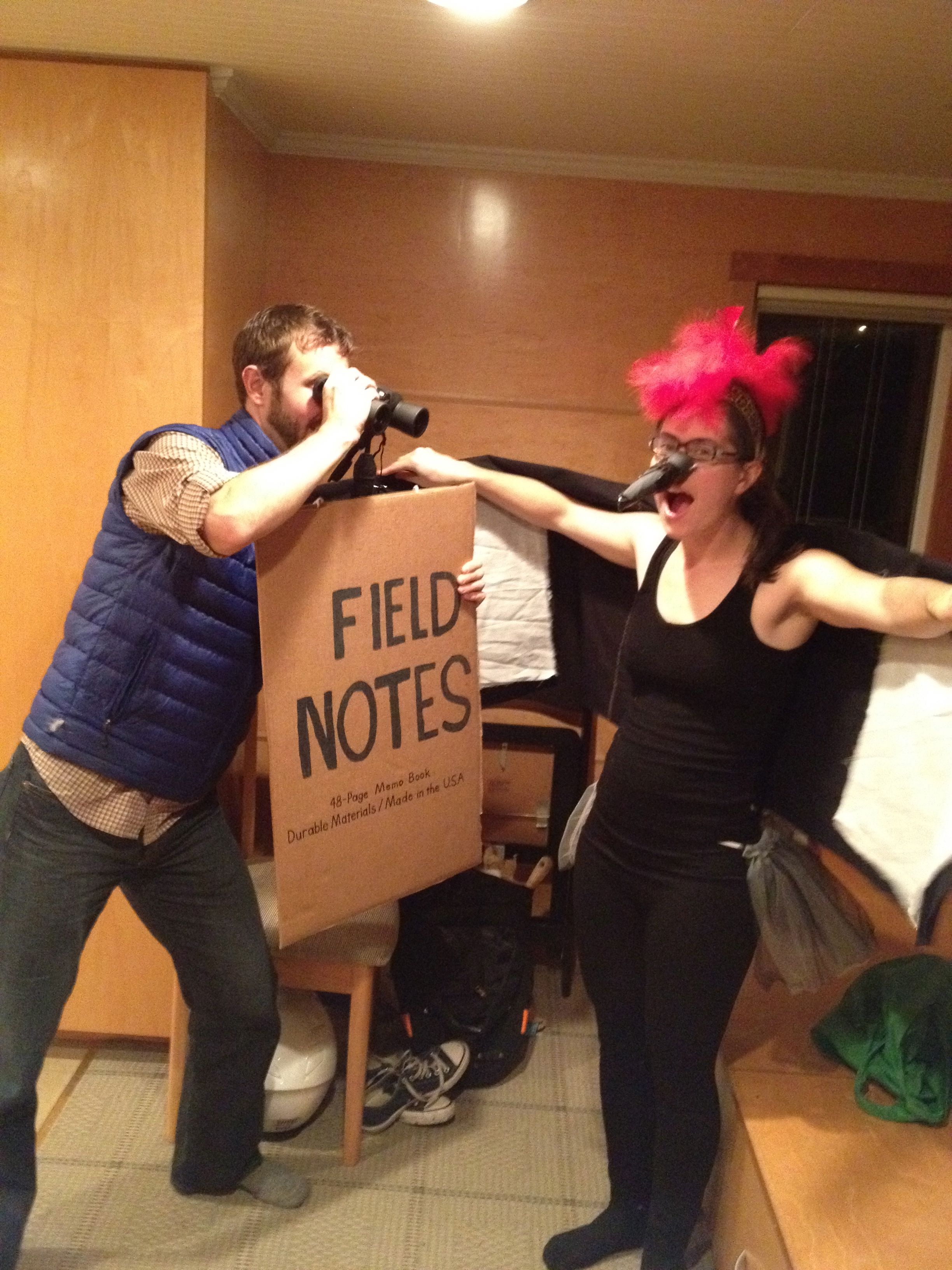
I recently signed up for a subscription to the colors limited edition Field Notes and have been so excited about them over the last week I thought it would be fun to incorporate them into my costume, and by incorporate I mean, dress as a giant field notes notebook. I brought along a few pens and encouraged people to make observations of their surroundings. I got a lot of fun drawings and observations (including one about the strong red feathers of the pileated woodpecker pictured above).
Not only did I have a great time watching the creative things people would come up with for their costumes, but also how they responded when presented with a large piece of blank paper and a marker.
I’ve been flipping through the pages since saturday night and it’s been awesome. Maybe next year I’ll go as a moleskine to see which one performs better…
Sometimes it doesn’t take much to make me happy. A new, blank field notes notebook, and a new pen. So much potential, so much opportunity. I’m almost sad it’s Friday…
I’ve been organizing projects for a number of years now. Originally I was simply organizing my own efforts as a software developer, putting together a todo list so I wouldn’t miss anything or skip a step. When things at the company got bigger I started dabbling with Microsoft Project, and started making gannt charts left and right. While they were useful during the initial planning stages of a product and helped get a general feel for how much time we had to devote to certain features, once the project started, the meticulously laid out project plan quickly got out of date. Without employing a full time project manager to track status and deadlines we were never able to keep up with the project plan. And since we would rather have added productive developers than management overhead, we reduced our planning to a simple excel spreadsheet that was straight-forward to update.
That worked fine for a year or so until we added more developers. At this point we needed something that was flexible, easy to use, and highly visible. That’s when we started using the agile development method of 4×6 cards pinned to a cork board. Don’t laugh. That a software company would use such a decided low-tech approach is certainly amusing, but honestly it just seemed to work best. It was easy to write new cards, it was easy to organize them, everyone could see what was being worked on, and the spacial limitations naturally limited how many cards could be up and in flight at any given time.
We ran with that system for years, augmented with our internal fogbugz installation for bug tracking (bug tracking and fixing doesn’t work well on cards).
Since their launch back in early september our company has been using Trello to manage our development workflow for one simple reason: It’s easier than 4×6 cards. Yup, finally, after 6 years of working with 4×6 cards, I might actually have found a good replacement. Trello does a great job of modeling that simple workflow even though they are adding additional power.
The difficult part of a designing a piece of software like this is not so much how many features you add, but which ones you leave out. The magic is in keeping the product simple and flexible enough that people can devise their own workflows using the basics in the product. The fact that there are only three real concepts in Trello is what makes it so amazingly powerful. You have Boards, on Boards you have Lists, and on Lists you have cards. Boards can be anything, lists can be anything, and cards can be anything. You can assign someone to a card, and you can make notes on a card, the same way we used to do with 4×6 cards with post-it notes. You can label cards with color coded labels, the same way we did with colored post-it notes. And you can move cards from list to list, the same way we did on the cork board for all those years.
We put together five boards for our group, Backlog, Up Next, Doing, Testing, Done, but these could easily be split a number of different ways.
If you add the concept of priority by making the order of the cards significant (you don’t need to order them in a significant manner, but the cards retain their order) and you’ve got pretty much everything you need for a fully functional project management system.
Our migration to Trello happened very organically. I recently had a planning session with our Team Lead and took a bunch of notes on my white board. It was on my todo list to transcribe those notes to our cork board. I had procrastinated for a good day or two when I got word about Trello. Rather than transcribing and updating the cork board (which was in the other room) I made cards in Trello and invited the development team. One of our testers jumped on it and started using it immediately (within minutes) and by the end of the next day everyone was on board.
To hear a bit about Trello from the creators:
If you’d like to learn a little more about the creator check out this interview. It should be required watching for any software entrepreneur.
I was cruising through some old notes about blog post ideas and I hit on this one… this article is so much more poignant now that I’ve procrastinated it into October.
Researchers have found that humans are very bad at predicting “resource slack.” When asked to guess how much money and time they’ll have in the future, they accurately predict that their financial situation will remain relatively the same, but they think that their free time will expand.
I think this should serve as a call to action. Let’s not squander the free time we have today. We think that by pushing something off until tomorrow we are only delaying it, not fully realizing that the decision to put something off until tomorrow may be putting it off forever. You’ll never take that big road trip if you don’t start planning your stops and e-mailing your buddies to line up your schedules, you won’t have any more time to do it next month.
The other way to view this is as a call to enjoy and appreciate the free time that we have now. Things aren’t going to get simpler, up until that grand retirement. If we want more time to pursue our true interests we are going to need to find ways to make use of the time we have now.
Disconnect the Cable to get back the night hours
Find ways to carpool or take mass transit so you can get some thinking done on the way in to work.
Skip the stationary bike, start biking to work.
I forget where I heard the following advise, but it rang true when I did and it’s stuck with me since. There was a very prolific artist who said the best way she was able to launch new projects was by using the gap time she had available in any given day. Instead of reading an RSS feed, or playing a game on her iPhone, she would use that gap time to work on a project she was trying to get off the ground. By making that effort over a few months she was able to make steady progress until eventually the gap time became the full time, and new projects would need to back fill into that new gap time.
Most that know me know that I’ve been eating a somewhat unconventional diet for the last few years. I was introduced to this diet by the good folks at Crossfit Seattle as part of their “Leaning” challenges. Twice a year (once in the fall and once in the spring) they encourage their members to participate in a 2 month long diet challenge where members all take before and after picture, pay 30 dollars into a community pot, and for 2 month submit their food logs for review by the trainers at the gym. At the end of the 2 months, the trainers pick the top 5 men and women they think have improved their body and eating habits. The contest ends with a potluck where the participants in the challenge vote for the top man and women and the winners split the pot.
I figured that I get asked often enough about my diet that giving a little synopsis and linking to a few resources would be a handy reference to have around.
When I first went to a nutrition lecture at Crossfit Seattle, most of the material seemed to come from Robb Wolf, one of the original promoters of the Paleo/Primal diet. He used to work out with Dave Wenger when Crossfit Seattle was the first Crossfit affiliate (Crossfit North). He’s since had a falling out with the crossfit community, but I still follow his podcast and blog and he recently posted a good outline of what it means to eat a paleo diet.
Mark Sisson blogs at marksdailyapple.com and is an advocate for a primal lifestyle. Mark takes a slightly different but very compatible approach to the Paleo diet. Mark also supplements his blog with great posts about how to best express our uniquely human genes. From encouraging barefoot running, to tricks to improve sleep, to encouraging a playful approach to life. Mark takes the Paleo diet one step further and explore how our ancestors often lived their life and how we can learn from their examples to live more fulfilled and enjoyable lives. His posts are always well researched and thorough.
Both of these sites have been very instrumental in helping me to modify my lifestyle from a primarily sedentary one to a life that is more balanced and ultimately fulfilling to me.
Another resource that I’ve recently started following is Nerd Fitness. Steve has done a good job of approaching fitness from a “nerd” perspective, speaking to those of us that grew up playing video games and reading science fiction (sheepishly raises own hand). Steve also takes things outside of the purely fitness domain and looks to explore how we can live more fulfilled lives by approaching them like a the video games that many of us grew up playing. Trying to look at life like a series of “Achievements” and “Levels” can help tap into the same motivation that encourages an adult to spend 40 hours over a weekend playing World of Warcraft.
These are just a few of the resources I’ve been using to keep motivated in the health and fitness world. Between those sites for informational purposes and to get ideas about new things to try and watching the super fit folks competing at the crossfit games, and ultimate highlight videos on vimeo, I’ve got some enough resources and inspirational material to keep myself in shape and moving well into my forties.
This article about “clever” travelers taking advantage of a loophole setup by the US Mint has really stuck with me over the last few months. It’s one thing to take advantage of an airlines misguided attempts to lock people into their promotional program. It’s another one entirely to take advantage of the US Mint (and by proxy, US taxpayers) to rack up points on your credit card. I think my problem with this kind of behavior is fairly fundamental.
I (probably) harbor no illusions about my own moral superiority. I’m guilty as much as anyone else at cutting a few corners here and there. But what bothered me so much about this behavior is that it violates the notion of a categorical imperative quoted above. To paraphrase, I find this behavior distressing because if everyone were to engage in it, we would have a serious problem.
To illustrate metaphorically, they took a beautiful shortcut through the woods. A shortcut that had we all followed, would have eroded and eventually destroyed the forrest. An individualist might say “but the creator of the shortcut is the one responsible, not me for taking it”. I disagree with that position. I think we are all responsible for our actions, and if we choose to take the path less traveled, we ought also accept responsibility for the impact our traversal has on that path.
To draw another parallel, writing a few mortgages with a high risk of default is not so big of a deal, unless of course everyone else is doing it…
It can be hard to leave behind your tv. As I mentioned in the eulogy, for me it was a multi-step, multi-year long process. Smashyourtelevision’s post on the subject inspired me to document my journey in more detail.
The main reason I was so attached to my tv is that there is simply no easier form of entertainment. TV executives have built their entire careers around trying to determine what kind of television you would like to watch, and then putting it on at the right time of day to line up with your work schedule, your moods, even your demographics. Since everything is done for you, all that is required is make a single decision… to watch.
The first step for me was to take the programming decision out of the network’s hands. I started watching more of my content digitally via iTunes and Netflix and DVR (digital video recorder). Once I had started making programming decisions for myself I was much less likely to spend an evening watching “whatever was on the discovery channel”. The quality of the television I watched went up dramatically. I became a more discerning consumer.
The next step was to eliminate the cable delivered content entirely. I had been using a third party TiVo-like device, which fell out of favor and was no longer supported by the manufacturer. Rather than replacing it, I started going without DVR. And since I no longer had the patience for commercials, I shifted all of my watching hours to either TV shows I had purchased from iTunes, or Netflix DVDs. I still liked to watch sporting events, but decided that most times I would rather watch those with friends anyway. Once that decision had been made I was able to cut the cable. The biggest sacrifice I had to make at that point was the sports programming.
About this time I picked up a few extra activities outside the house that kept me busy in the evening hours. Crossfit and Ultimate frisbee had supplanted television as my primary source of diversion during the evening hours.
I still had a 37” tv that was connected to an XBox for Netflix streaming and to serve as a DVD player.
After a year or so in that configuration I moved from the Ballard Neighborhood in Seattle to Bainbridge Island with the knowledge that I would be moving back in about a year. The GF and I intentionally arranged our living room to minimize the impact of the tv and as a result I found myself watching it even less. It had become more convenient to open the laptop and watch a movie on the external 24” monitor than to watch on the 37” tv across the room. Upon the realization that I would have to move this monstrously heavy thing back to Seattle is what finally pushed me over the edge.
I unloaded the tv and the xbox on craigslist, (talk about a depreciating asset) and haven’t really missed it since.
Here are the key points I learned in the process.
1) Take it one step at a time: If I had gone from a 3-4 hour a day tv watcher to nothing overnight I think I would’ve gone crazy.
2) Slowly decrease your tolerance for bad tv by watching only good tv: The beginning of this whole process was my decision to adopt DVR and Netflix. In the short run they probably increased my tv consumption, but allowed me to become more discerning.
3) TV is a hobby, and is best replaced with other hobbies: Even though I no longer have easy access to tv, I will still watch it if I find myself home alone between the hours of 6pm and 8pm.
A friend recently asked how to get Omnifocus setup to sync with multiple devices. I had some trouble remembering myself so I thought I’d put the instructions in a more permanent form here. If you haven’t heard of Omnifocus it’s a great personal task management system. It follows the “Getting Things Done” philosophy of breaking your todo list up into multiple groupings based on the “context” in which you are able to accomplish the task. So instead of working on a project, you work on “anything I can do while I’m in my email client”. If you want to learn more about getting things done you can check out the book.
I use the WebDav settings in OmniFocus in order to let all of my devices sync even if they aren’t connected to the same network. Omnifocus has the ability to sync over the local wireless network, but since I do a lot of syncing from the iPhone, which is not always connected to the wireless network (there are some dead zones at the office so I usually leave it connected to 3G) so I prefer the webdav option since the devices don’t need to be on the same network.
There are multiple different paths you can follow to configured your devices, this is the one that I found works for me. Omnifocus has some tools that will help you configure multiple devices but I found that they don’t always work reliably and I had to learn how to configure everything manually.
Omnifocus is also building out their own sync network, but since it’s currently in beta, I’m not inclined to recommend it yet. When they do get it setup it will simplify these instructions.
Step 1: Setup a webdav system.
I use www.swissdisk.com since they offer a free 50 megabyte account which is more than adequate for omnifocus. Remember your username and password because you will need them in the setup of all omnifocus devices. As in signing up for any free service, be careful about the information you give them. So far I haven’t had any problems with swissdisk, but online companies can change their terms of service and they may start spamming you in the future when they find their business struggling. I wouldn’t rely on swissdisk to backup your Omnifocus database either. Make sure you are syncing your iPhone to your mac and using Time Machine or another backup system to keep old copies of your Omnifocus database. Omnifocus does a good job of keeping it’s own backups and their support department can help you restore things if anything goes wrong. (trust me on that one)
Step 2: Setup Omnifocus Mac
In Omnifocus, open preferences (Command + ‘,’ ) click not the sync tab, and then the advanced sub option. It should look like this.
Notice the location field, that url will be the same for you, except where it says ‘username’ you will need to use your username. Once you have entered the location click the sync now button and Omnifocus should ask you for your password. Let the process run and you will now have a copy of your omnifocus tasks on the swissdisk webdav server.
Step 3: Configure your iPhone
Open Omnifocus on the iPhone and open the preferences dialog. (the gear looking icon the lower right hand corner). Select the Sync Method option, and on the following page select WebDav.
On the next page enter the same swissdisk url as you used in Omnifocus for the Mac.
Click the sync button in the upper right hand corner, and your iPhone should prompt you for your password.
At this point you should be looking at your Omnifocus tasks from the mac on your iPhone.






 Not enough bits in this byte